Video is now the most popular content format on the internet. Whether you run a blog, an online course, a membership site or a full streaming business, you need a reliable way to show video. That is where a video player online comes in. It plays your content directly in the browser, with no app installs and no compatibility problems.
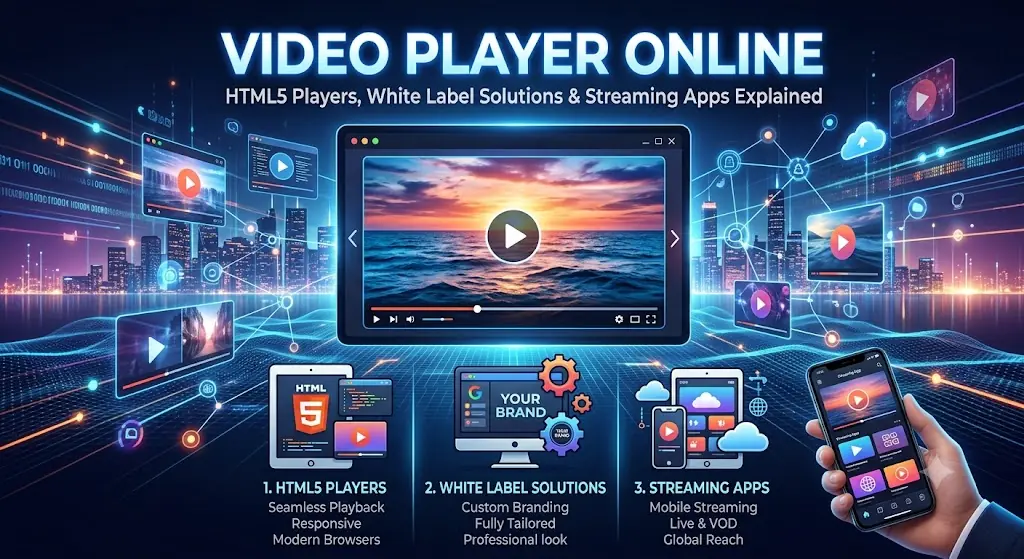
In this guide, you will learn how an online video player works, how to use an HTML5 video player on your website, why brands choose a white label video player, and how a white label streaming app and a white label video editing agency can help you scale without building everything yourself. We will also cover HTML5 video download options, so you know what is possible and what is not.
What Is a Video Player Online?
A video player online is a browser-based tool that plays video files or live streams without any software installation. You paste a video link or upload a file, and the video starts instantly on desktop, Android or iPhone.
Most modern online players run on HTML5, JavaScript and adaptive streaming protocols like HLS (m3u8). They support formats such as MP4, WebM and MOV, and offer controls like speed adjustment, fullscreen, subtitles and picture-in-picture.
Main benefits:
- No installation, it works on Chrome, Edge, Safari and Firefox
- Same experience on mobile, tablet and PC
- Saves device storage because you stream instead of downloading
- Easy to embed and share on any website
- Supports modern streaming formats
Understanding the HTML5 Video Player
Years ago, websites depended on Flash to play video. Flash is gone, and today the HTML5 video player is the standard. It is built into every modern browser, so you do not need any plugin.
The basic code is very simple:
html
<video controls width="100%" preload="metadata" poster="thumbnail.jpg">
  <source src="your-video.mp4" type="video/mp4">
  Your browser does not support the video tag.
</video>
Why the HTML5 video player is popular:
- Lightweight: no heavy external scripts
- SEO friendly: works well with video schema markup
- Mobile ready: responsive by default
- Customizable: style it with CSS and control it with JavaScript
- Free: no license cost
For a small blog or landing page, the native HTML5 player is often all you need. For advanced features like adaptive streaming, analytics and branding control, you can add a JavaScript library or use a hosted solution.
HTML5 Video Player Online: Test and Play Instantly
Many people search for an HTML5 video player online because they want to quickly test a video link without writing code. An online HTML5 player lets you:
- Check whether an MP4 or WebM link plays correctly
- Test m3u8 streams in the browser
- Preview a video before embedding it on your website
- Debug codec problems
If a video does not play, the reason is usually the codec. Convert the file to MP4 with H.264 video and AAC audio, which is supported almost everywhere.
HTML5 Video Download: What You Should Know
HTML5 video download is one of the most searched topics around video players, so let’s clear it up.
By default, Chrome and Edge show a three-dot menu on the native player with a download option. As a website owner, you can control this behavior.
Allow viewers to download your video:
html
<a href="your-video.mp4" download>Download Video</a>Hide the download button in the player controls:
html
<video controls controlsList="nodownload">
  <source src="your-video.mp4" type="video/mp4">
</video>
Important notes:
controlsList="nodownload"only hides the button. It does not fully block downloading. For real protection, you need token-based URLs, domain restriction or DRM through a video hosting platform.- Only download videos that you own or have permission to use. Downloading copyrighted content without permission can violate copyright law and platform terms.
- If you offer downloadable content such as lessons or promo videos, always provide a clear and legal download link.
What Is a White Label Video Player?
A white label video player is a player built by one company that you can brand as your own. You add your logo, colors, domain and controls, and viewers never see the original provider’s name.
Why businesses use a white label video player:
- Brand consistency: your logo appears on every video
- Professional look: no third-party ads or suggested videos
- Full control: choose controls, skins and end screens
- Better security: domain locking, hotlink protection and encrypted streams
- Analytics: track watch time, drop-off points and engagement
Course creators, SaaS companies, agencies and news publishers benefit the most. If you resell video services to clients, a white label player lets you offer a premium product under your own brand.
White Label Streaming App: Launch Your Own Platform Faster
Building a streaming app from scratch takes months and a big budget. A white label streaming app is a ready-made app that you customize with your branding and launch quickly on Android, iOS, web and smart TV.
Typical features include:
- Video on demand (VOD) and live streaming
- User login, subscriptions and payment gateways
- Push notifications
- Content management dashboard
- Multi-device support
- Analytics and reporting
Who should use it?
- Fitness trainers with subscription workouts
- Educators selling video courses
- Regional entertainment and OTT startups
- Churches, media houses and community broadcasters
The main advantage is speed and cost. You skip the development stage and focus on content and marketing. When choosing a provider, check for CDN support, DRM options, source code access or customization limits, and support quality.
White Label Video Editing Agency: Scale Content Without Hiring
Great players and apps are useless without quality videos. That is why many creators and marketing firms partner with a white label video editing agency.
In this model, the agency edits videos for you, but delivers them under your brand name. Your clients never know a third party did the work.
Services usually offered:
- YouTube video editing
- Reels, Shorts and TikTok editing
- Course and webinar editing
- Subtitles and captions
- Motion graphics and intros
- Color correction and audio cleanup
Benefits:
- No need to hire full-time editors
- Faster turnaround and consistent quality
- Easy to scale when you get more clients
- Higher profit margins because you set your own pricing
How to choose a good agency: ask for sample work, check revision policies, confirm the turnaround time, and sign an NDA so your client details stay private.
Choosing the Right Video Solution
| Need | Best Option |
|---|---|
| Quick playback or testing | Video player online |
| Simple website video | HTML5 video player |
| Branded, secure playback | White label video player |
| Full subscription platform | White label streaming app |
| Content production at scale | White label video editing agency |
Start small. If you are a blogger, the HTML5 player is enough. As your traffic and revenue grow, upgrade to a white label player or a complete streaming app.
Tips to Speed Up Video on Your Website
- Compress files with HandBrake or FFmpeg
- Use
preload="metadata"to avoid loading the full video upfront - Serve videos through a CDN
- Use a compressed poster image
- Lazy-load players placed below the fold
Faster video pages improve Core Web Vitals, which supports better rankings and lower bounce rates.
Frequently Asked Questions
What is the best video player online?
The best one supports MP4, WebM and HLS, loads fast, works on mobile and uses HTTPS.
Is the HTML5 video player free?
Yes. It is built into all modern browsers and requires no license.
Can I use an HTML5 video player online without coding?
Yes. Online HTML5 players let you paste a video link and play it instantly.
Is HTML5 video download allowed?
It is allowed for videos you own or have permission to download. Downloading copyrighted content without permission is not.
What is the difference between a white label video player and a normal player?
A white label player lets you replace the provider’s branding with your own logo and colors.
How does a white label streaming app help my business?
It lets you launch a branded streaming platform quickly without building the app from scratch.
Why hire a white label video editing agency?
It saves hiring costs and lets you deliver professional edits to clients under your own brand.
Final Thoughts
A reliable video player online makes watching and sharing content simple, while the HTML5 video player gives website owners a free, fast and flexible option. As your needs grow, a white label video player, a white label streaming app and a white label video editing agency help you build a professional, branded video business without heavy investment.
Start with the tool that fits your current stage, test it on real devices, and upgrade when your audience grows. Which option are you planning to use? Share your thoughts in the comments.